Table of Contents
- Understanding how remote work functions
- Setting up your professional space
- How long it takes
- How to tell when it's done
- Mistakes that ruin it
- Frequently asked questions
- Can I work from any country?
- Is it safe to use public Wi-Fi?
- How long does it take to get used to it?
- What happens if the internet goes down?
- How do I stay productive at home?
- Final Thoughts
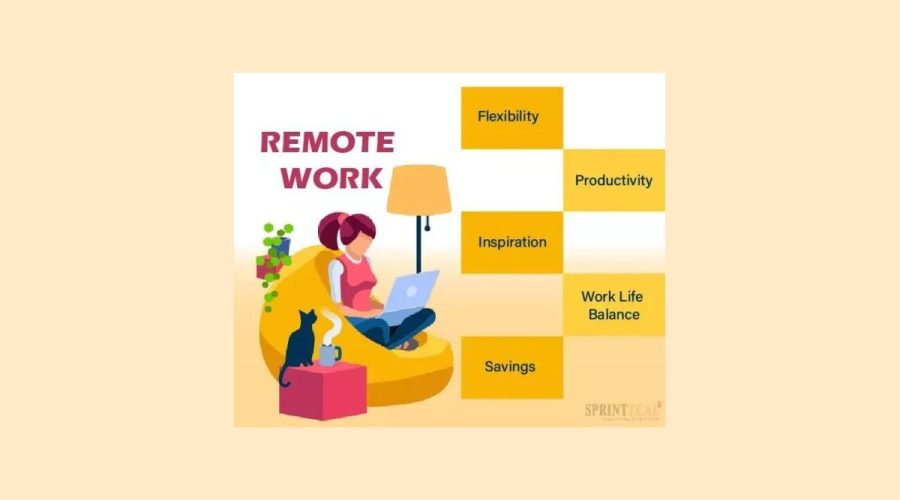
What is remote work? It’s a professional arrangement where employees perform their job duties from a location outside of a traditional corporate office, typically from home or a coworking space. This practice relies on digital communication tools to maintain connectivity with teammates and managers. By removing the daily commute, it allows staff to complete their tasks in a environment they control, provided they have reliable internet access and necessary equipment.
Understanding how remote work functions

The success of this model depends entirely on clear communication and the ability to manage time without direct supervision. When team members document their progress and align on expectations, productivity often remains high. If you prioritize output over hours spent at a desk, the arrangement usually thrives.
The most common mistake people make is failing to establish a dedicated workspace. Working from a sofa or kitchen table often leads to poor posture and frequent distractions, which lowers focus. You must separate your professional tasks from your personal life to avoid burnout. This isn’t for those who require constant face-to-face feedback or for roles that demand physical handling of onsite materials.
Setting up your professional space
- Select a quiet area in your home that you use only for your job to create a mental boundary between rest and labor.
- Ensure your desk is at the correct height for your chair to prevent neck and back strain, as standard office furniture is designed for ergonomic support.
- Verify that your internet connection meets the minimum speed requirements set by your employer, which typically involves a stable upload and download capacity of at least 25 Mbps.
- Purchase a dedicated headset to reduce background noise during meetings, as internal laptop microphones often pick up too much ambient sound.
- Review the [telework guidance from the U.S.
- Test your video conferencing software with a colleague before your first important meeting to confirm that your camera and audio settings are optimized.
Tip: Don’t rely on public Wi-Fi for sensitive tasks, as it lacks the security layers found in private home networks.
Tip: If you find yourself working longer hours than you did in the office, set a firm “log-off” time to preserve your physical health.
How long it takes

The time required to transition into a remote role varies based on your existing technical skills and the company’s digital infrastructure.
| Situation | How long | What changes it | What to watch for |
|---|---|---|---|
| Basic setup | 2-4 hours | Equipment availability | Software updates |
| Process training | 1-2 weeks | Complexity of internal tools | Communication gaps |
| Full adjustment | 3 months | Personal habits | Signs of isolation |
If your setup takes significantly longer than these estimates, it usually points to a lack of clear documentation from your IT department or a failure in the hardware provided by your employer.
How to tell when it’s done
You know your remote setup is complete when you can perform all core job functions without needing to visit a physical office for files or system access. A functional home office allows you to join calls, share documents, and complete your daily targets with the same speed you had previously. You should also be able to sign in to all company security protocols, such as a Virtual Private Network, without errors. If your manager confirms you’re hitting your performance metrics and you feel comfortable navigating the digital tools, you have successfully mastered the requirements. When your digital tools fail to sync or your internet drops, you can measure this by tracking the hours of downtime; if it exceeds your company’s uptime service level agreement, you must report the issue to your IT support desk immediately.
Mistakes that ruin it
- Ignoring ergonomic needs Failing to use a proper chair or monitor height causes long-term physical pain that distracts you from your work. Invest in adjustable furniture to keep your body aligned during long hours.
- Over-communicating or under-communicating Sending too many messages interrupts others, while staying silent makes you seem invisible to your team. Find a balance by providing brief, daily status updates to your manager.
- Working in communal areas Attempting to work in a high-traffic room leads to constant interruptions and professional errors. Always choose a door-closing space to ensure you remain focused on your tasks.
- Skipping social interaction Staying strictly digital can lead to feelings of isolation and reduced team cohesion. Make a point to participate in virtual coffee chats or team meetings to keep your professional relationships healthy.
Frequently asked questions

Can I work from any country?
No, you can’t always work from any country because of tax laws, data security regulations, and employment contracts. Most companies restrict remote work to the country where they have a legal business entity to ensure compliance with local labor laws. Before traveling, you must check your specific employment agreement and discuss your plans with your HR department to avoid legal or tax issues.
Is it safe to use public Wi-Fi?
No, it isn’t safe to use public Wi-Fi for work because these networks are often unencrypted and vulnerable to hackers. If you must work outside your home, you should always use a Virtual Private Network to protect your data. Avoid accessing sensitive company files or banking information on any network that doesn’t require a private password or strong encryption.
How long does it take to get used to it?
Most people feel fully adjusted to remote work within three months of consistent practice. This period allows you to build a reliable routine, master the digital communication tools, and establish boundaries between your professional and personal life. If you still feel overwhelmed after three months, try adjusting your daily schedule or asking your manager for more specific feedback on your performance.
What happens if the internet goes down?
If your internet goes down, you should immediately inform your manager through a mobile device and switch to a backup connection if possible. Many employers expect you to have a secondary plan, such as a mobile hotspot or a nearby coworking space. If you can’t fix the issue quickly, document the duration of the outage and contact your IT support team for further guidance.
How do I stay productive at home?
You stay productive by creating a fixed schedule and a distraction-free environment that mimics a professional setting. Start your day at the same time, dress in professional clothes, and follow a list of clear goals. By treating your home office like a real workplace, you train your brain to focus on tasks and avoid the common traps of domestic life.
Final Thoughts
Embracing this flexible lifestyle isn’t just about changing where you sit; it’s about finding a rhythm that works for your life. If you’re considering making the switch, start by setting up a dedicated workspace today. You’ll soon see how much more you can accomplish when you’re in charge of your surroundings.


Finding a trustworthy site is tough these days but this one keeps delivering top notch entertainment. The game variety is impressive and I never wait long for my winnings to clear. ph24phfun