Table of Contents
- Graphic design tools to start with
- Steps to Build Your Design Skills
- How Your Workflow Changes
- Judging Your Design Quality
- Industry Rules and Maintenance
- Alternative Paths to Design
- Self-Taught Route
- Bootcamp Training
- University Degree
- Frequently asked questions
- How long does it take to learn graphic design?
- Do I need a degree to get hired?
- Is it safe to use free design software?
- How much should I charge as a beginner?
- What happens if I use copyrighted images?
- How often should I update my portfolio?
- Conclusion
You can start a career in graphic design by learning foundational software and building a portfolio of personal projects to demonstrate your skills. Mastering the core principles of layout, typography, and color theory is the most effective way to gain professional traction. If you have a computer and a creative eye, graphic design how to start is a process of disciplined practice and iterative feedback.
Graphic design tools to start with

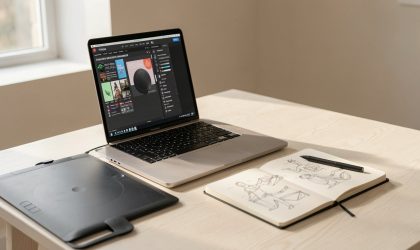
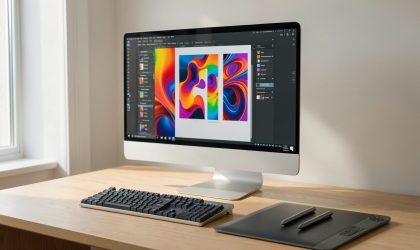
To begin your journey into visual communication, you need a specific set of tools. Having the right equipment makes the learning curve much smoother and allows you to build professional-grade files from day one.
- A reliable computer with at least 16GB of RAM to handle complex design files without crashing.
- Industry-standard software like Adobe Creative Cloud, which is the baseline for most professional studios.
- A high-resolution monitor that supports accurate color profiles for print and digital output.
- A subscription to a stock asset library or a camera to capture your own unique imagery.
- A sketchbook and pencil for rapid wireframing and concept development before moving to the screen.
If you’re on a budget, you can start with free alternatives like Inkscape or GIMP, but these may lack the advanced features required by most design agencies. For those choosing the professional route, you can check the Adobe Education Exchange for official software tutorials and certification paths that help beginners align their skills with market expectations.
Steps to Build Your Design Skills
- Study the basic elements of design, including balance, contrast, and alignment, by reading textbooks or accredited online courses.
- Install professional software and follow three guided tutorials to understand the toolbar, layer panels, and export settings.
- Create a “mock” project for a local business to practice balancing client needs with your own creative choices.
- Gather your three best designs into a digital portfolio hosted on a clean, professional website.
- Request feedback from other designers, then revise your work based on their specific suggestions.
- Apply for entry-level roles or freelance gigs where you can gain experience under the guidance of a senior mentor.
Tip: Don’t spend too much time on theory before you start making actual designs. Careful: Avoid using unlicensed fonts or stock images, as this can lead to legal issues; always verify usage rights on the U.S. Copyright Office website.
How Your Workflow Changes
Your design process shifts as you move from hobbyist projects to professional client work. The following table outlines how the requirements change based on the scale of your output.
| Situation | Time Needed | What Changes | What to Watch |
|---|---|---|---|
| Personal project | 5–10 hours | No deadlines | Creative freedom |
| Small business task | 15–20 hours | Client revisions | Brand guidelines |
| Agency project | 40+ hours | Team collaboration | File organization |
Amateurs often treat client work like a personal project, ignoring the rigid constraints of a brand style guide. If you skip the discovery phase to start designing immediately, you’ll likely face three rounds of revisions instead of one. This mistake costs you your profit margin and your reputation.
Apply this rule: if the project involves a pre-existing logo or color palette, dedicate 20 percent of your total time to auditing those assets before opening your design software. If you’re building a brand from scratch, spend that same time on mood boards and typography research. You must distinguish between creative exploration and technical execution to avoid missing your delivery window.
Judging Your Design Quality
A good design communicates its message clearly without needing an explanation, while a poor one often feels cluttered or confusing. This visual confusion happens when the hierarchy of information is weak, making it hard for the viewer to know where to look first. You prevent this by using a grid system to align your elements and limiting your palette to three main colors.
Quality control is vital in this field. If you’re unsure about your work, show it to someone who has never seen it before. If they can’t explain what the design is about within five seconds, your hierarchy is likely failing. You can learn more about professional standards through the American Institute of Graphic Arts, which publishes resources on design ethics and professional practices.
Industry Rules and Maintenance
The main rule in professional design is that every file must be delivered in the correct format for its final destination. Print work requires a CMYK color mode and 300 DPI resolution, while digital work requires RGB and 72 DPI. If you send a file in the wrong color space, the colors will shift unpredictably during production.
After finishing a project, archive your working files and source assets in a cloud-based storage system. Always keep a separate folder for final exports labeled with the date and version number. This prevents the common mistake of overwriting a master file, which often costs designers hours of reconstruction time.
If you’re working with clients, ensure you have a written contract that outlines the number of revisions included in your price. If your scope exceeds three rounds of changes, bill for the extra time at your hourly rate. Consult a legal professional if you’re unsure about intellectual property terms.
Alternative Paths to Design

Self-Taught Route
This path relies on free online resources and personal discipline. It costs very little in money but requires significant time to curate your own learning path. You’ll need to be your own teacher, which makes it harder to identify your own blind spots without a mentor.
Bootcamp Training
Bootcamps offer an intensive, fast-paced environment designed to get you job-ready in a few months. They cost more than self-study but provide structured feedback and career support. This is ideal if you have a tight timeline and learn better in a group setting.
University Degree
A formal degree provides the deepest understanding of history, theory, and technique. It’s the most expensive and time-consuming route, but it offers the strongest networking opportunities. This path is for those who want a long-term academic foundation for their career.
Related guides
Frequently asked questions
How long does it take to learn graphic design?
It takes about 6 to 12 months of consistent daily practice to reach a level where you can produce professional-quality work. This assumes you’re spending at least 15 hours per week on projects and tutorials. If you have a background in fine arts, you may progress faster, but software mastery usually dictates the speed.
Do I need a degree to get hired?
No, you don’t need a degree to get hired, as most employers prioritize a strong portfolio over formal education. Your ability to solve visual problems is what matters most during an interview. If you can show a collection of high-quality, relevant work, your skills will usually speak louder than a diploma.
Is it safe to use free design software?
Yes, it’s safe to use free software, provided you download it from the official developer’s website to avoid malware. However, check the software’s licensing terms to ensure it allows for commercial use. Some free tools restrict you to personal projects only, which can cause legal issues if you use them for client work.
How much should I charge as a beginner?
You should charge based on your hourly rate or a flat project fee that reflects your current skill level and market demand. Research what other local designers with similar experience charge to set a baseline. Never underprice your work just to get a client, as this devalues your time and sets a bad precedent.
What happens if I use copyrighted images?
If you use copyrighted images without permission, you risk being sued for damages or facing a “cease and desist” order from the owner. Always use licensed stock photography or your own original images to protect your professional reputation. If you’re unsure about an image, don’t use it until you verify the license.
How often should I update my portfolio?
Update your portfolio whenever you complete a project that surpasses your previous work. Aim to review your collection every three months to remove outdated pieces and highlight your professional growth. Because a portfolio is a living document, keeping it fresh ensures it accurately reflects your current capabilities.
Conclusion
Don’t wait for the perfect moment to begin your first project. Just open a blank document and start experimenting with shapes and fonts today. You’ll find that your confidence grows as you create, so don’t be afraid to share your work. It’s the best way to keep moving forward in this field.