Table of Contents
- Tools for writing your blog post
- Step-by-step
- Analyzing your publishing approach
- How to tell you did it right
- The rules, and what to do afterwards
- Other ways to do it
- Outsourcing to professional writers
- Using AI drafting tools
- Repurposing existing content
- Frequently asked questions
- Can I write a blog post in one hour?
- How long should a blog post be?
- Is it safe to use images from Google?
- What happens if I make a mistake?
- How do I know if my topic is good?
- Final Thoughts
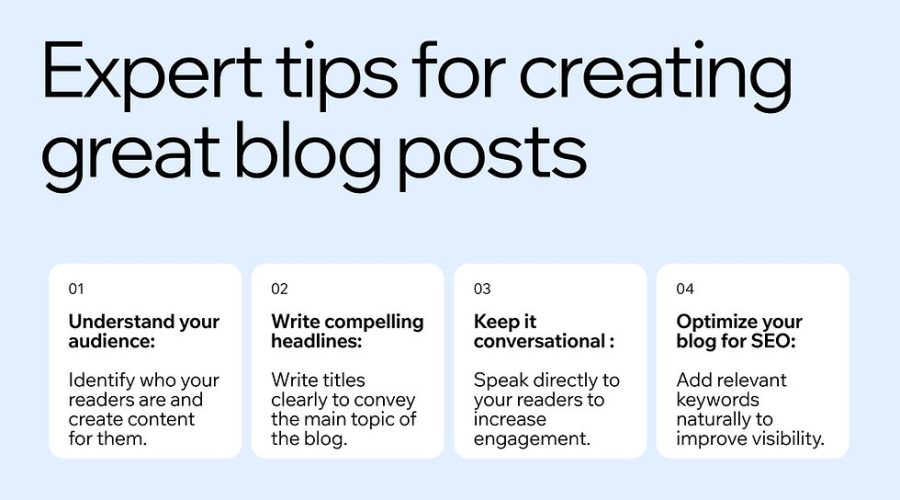
You can produce effective content by following a structured workflow that focuses on reader value and clear formatting. How to Write a Blog Post Step by Step involves choosing a specific topic, creating a rough outline, drafting the core sections, and refining the text for readability. This method works well for anyone who needs to build a consistent publishing schedule without feeling overwhelmed by the process.
Tools for writing your blog post
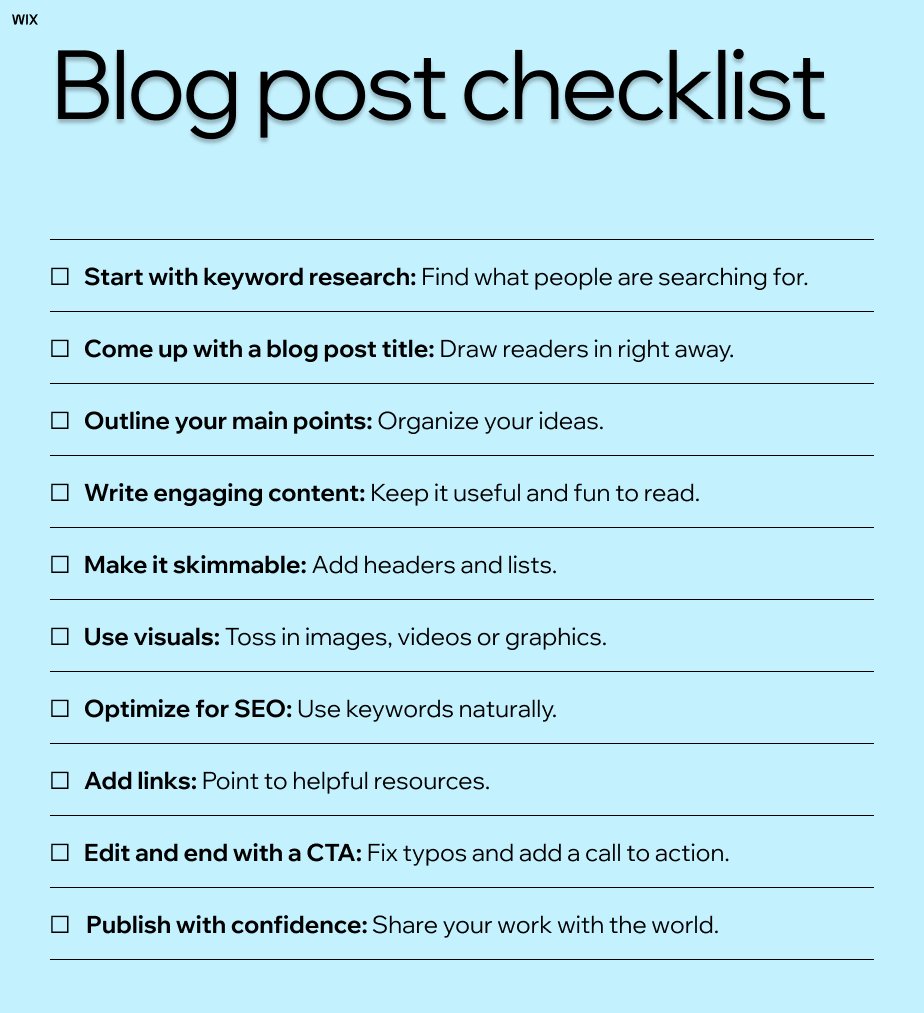
- A Content Management System: You need a platform like WordPress or Ghost to host your writing.
- Keyword Research Tool: Use a tool like Google Keyword Planner to find what people are actually searching for.
- Text Editor: Stick to simple software like Google Docs or Microsoft Word to keep your formatting clean.
- High-Quality Images: Use original photos or licensed stock images that match your specific topic.
- A Style Guide: Keep a simple list of your preferred spelling and tone rules to ensure consistency.
- External Data: If you mention specific industry standards, check the official guidance from the Federal Trade Commission regarding transparency and disclosures.
If you lack a professional editor, use free browser extensions to check for basic grammar errors, but don’t rely on these tools to fix your overall structure.
Step-by-step
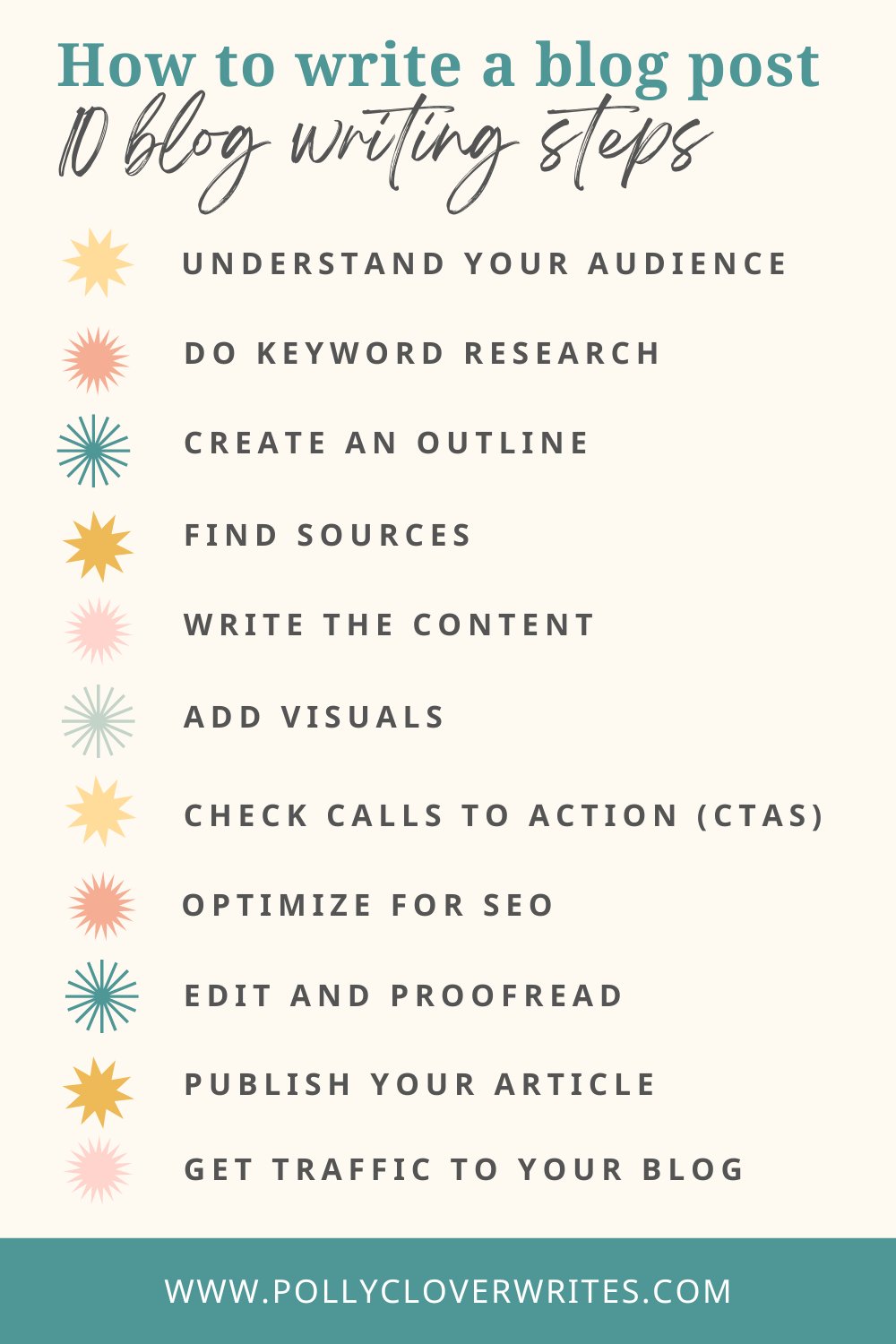
- Select a clear topic. Choose one problem that your readers face and focus your entire post on solving that single issue. Avoid trying to cover too many topics at once, as this confuses the reader and hurts your search performance.
- Create a detailed outline. Write down your main points as headings before you type any paragraphs. This ensures your logic flows well and prevents you from going off-topic.
- Write your first draft. Focus on getting your ideas onto the page without worrying about perfection. If you’re stuck, write the middle section first and save the introduction for the end.
- Edit for clarity. Remove every word that doesn’t add value to your point. Use short sentences and keep your paragraphs under five lines so they’re easy to read on mobile devices.
- Add your images and links. Insert relevant visuals and one or two helpful links to credible sources. Always check that your images are compressed so they don’t slow down your page load speed.
- Review your formatting. Check that your headings are consistent and your bullet points are easy to scan. If you have a long list, ensure it’s in a table rather than in a paragraph.
- Publish your post. Double-check your metadata, such as the title tag and description, before hitting the publish button.
Tip: Never write while you’re trying to edit. Separate these tasks to save time and stay focused.
Careful: Don’t copy content from other sites, as this will prevent your post from ever ranking well in search results.
Analyzing your publishing approach
The time and effort you spend on a post change based on your experience level, the competition in your market, and the depth of your research.
| Situation | Time Required | Effort Level | What to watch |
|---|---|---|---|
| Simple news update | 1-2 hours | Low | Fact accuracy |
| Detailed how-to guide | 4-6 hours | Medium | Step clarity |
| Original research report | 10+ hours | High | Data sources |
It’s always safer to start small with a short, helpful post and add more detail later than to overshoot on your first try and burn out.
How to tell you did it right
A good blog post is one that a reader can finish and immediately apply to their own life. If your reader has to ask follow-up questions about the basic steps, your instructions are likely too vague. A poor post is often cluttered with long, complex sentences and lacks a clear path for the reader to follow. This usually happens because the writer is focused on showing off their knowledge rather than serving the reader’s needs. To prevent this, read your draft out loud. If you run out of breath or stumble over a sentence, it’s too long. Keep your focus on the reader’s goal, and always remember that results vary by your own experience, your specific target client, and the current market trends.
The rules, and what to do afterwards
The primary rule in content creation is transparency, as established by the Federal Trade Commission guidelines regarding clear disclosures. If you use affiliate links or are paid to mention a product, you must state this clearly at the start of your post. After publishing, clear your website’s cache or CDN to ensure your updates are visible to the public. Save your draft in a secondary location like a cloud drive so you don’t lose your work if your site has a technical issue. You should review your posts regularly to ensure the links still work and the information remains accurate. If you need to handle complex legal or financial topics, consult a professional, as mistakes in these areas can carry real risks to your business.
Other ways to do it
Outsourcing to professional writers
You can hire a freelance writer to handle the drafting process. This saves you significant time, but you must invest effort in creating a detailed brief so the writer understands your brand voice.
Using AI drafting tools
Many people use artificial intelligence to generate outlines or overcome writer’s block. This is fast, but you must verify every fact manually, as these tools often invent statistics or cite non-existent studies.
Repurposing existing content
Take your older, high-performing posts and turn them into new formats like videos or slide decks. This is a cost-effective way to reach a wider audience without writing new material from scratch.
Frequently asked questions
Can I write a blog post in one hour?
Yes, you can write a short, simple post in one hour if you have a clear outline and a specific, narrow topic. However, this assumes you aren’t doing deep research or original data collection. If your topic requires expert analysis or external verification, you should allow at least four hours to ensure quality.
How long should a blog post be?
There’s no single rule for length, but most effective posts range from 800 to 1,500 words. The length should depend entirely on how much space you need to solve the reader’s problem. If you can provide a complete, useful answer in 500 words, don’t feel forced to add filler just to reach a higher count.
Is it safe to use images from Google?
No, it isn’t safe to use images found via a basic Google search because most are protected by copyright. You should only use images you have created yourself or those you have purchased through a legitimate stock photography service. Always check the specific license terms for each image to avoid potential legal issues.
What happens if I make a mistake?
If you make a mistake, you should correct the post immediately and include a small note at the bottom indicating when the update was made. Readers usually appreciate honesty and transparency. If the error involves sensitive financial or medical advice, you must be especially careful to provide a full correction to avoid harm.
How do I know if my topic is good?
You know your topic is good if it answers a specific question that your target audience is already asking. Use search volume data or look at common questions on social media to see if your topic solves a real pain point. If people aren’t searching for the problem, your post will likely not get many readers.
Final Thoughts
Consistency is the secret to building a loyal audience, so don’t worry if your first few drafts aren’t perfect. Just pick a topic you’re passionate about and start writing today. You’ll find your unique voice as you go, and your readers will appreciate the effort you’ve put into sharing your ideas.